Tasks are great at answering “what am I doing?” They are terrible at answering “what are we actually trying to achieve?” That second question is the one stakeholders ask, the one that decides whether a quarter went well, and the one no task board has ever answered cleanly.
So we built the layer that does. Say hello to Initiatives.
A coordination layer, not another project
Here is the important part: an initiative is not a project, and it does not own its work. It is a coordination layer that sits across your projects and pulls the relevant pieces together under one outcome.
A real launch is never tidy. It needs deliverables owned by different teams, a few decisions that have to be made, and the blockers standing in the way. The actual work behind those pieces lives in different project backlogs, and some of it lives in no project at all. On a normal board, that effort is invisible. It is scattered across several places, and no single view ever shows it whole.
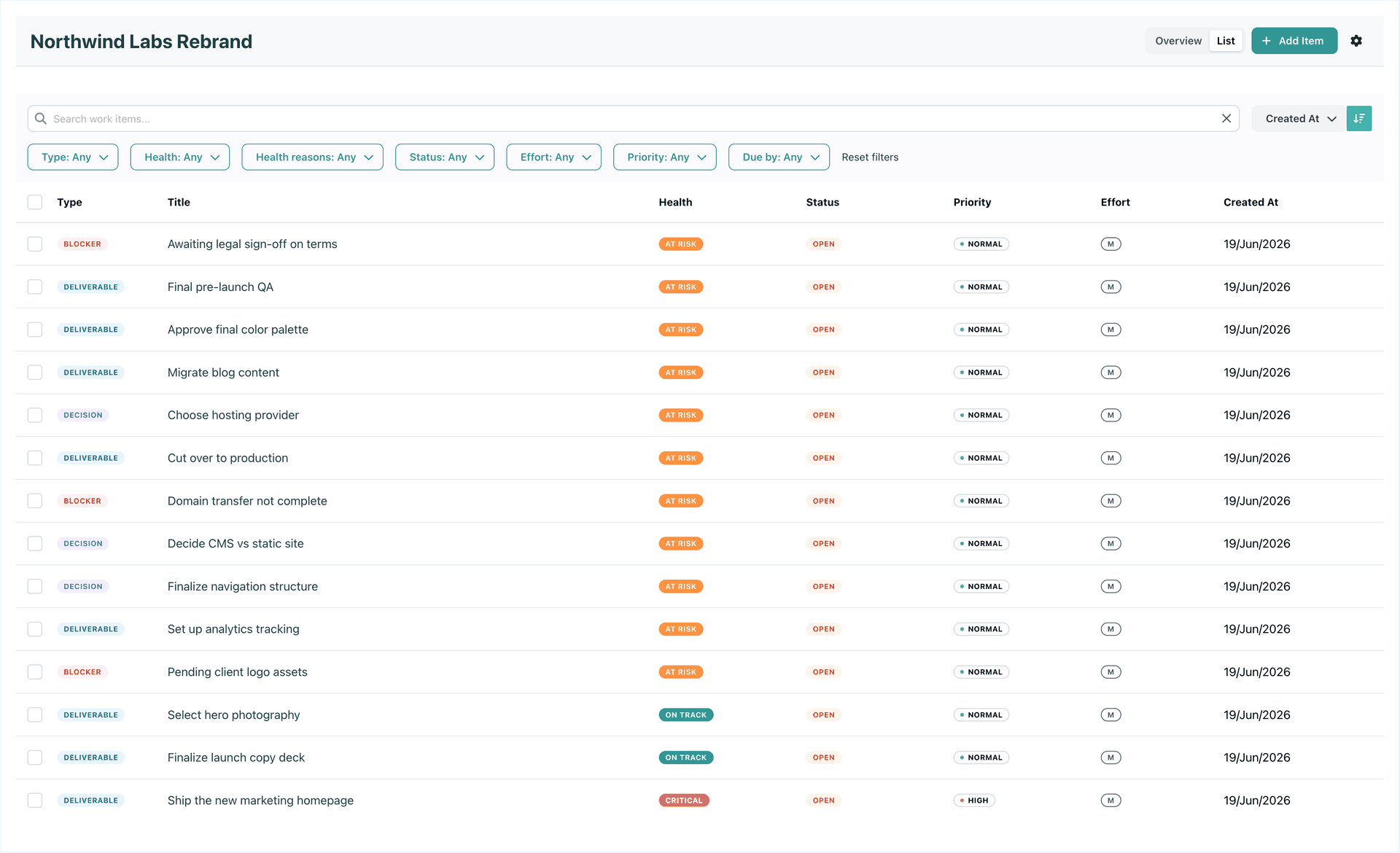
An initiative is where you assemble it. You give it a title, a description, an optional target date, and a status, and then you build it out of work items, the deliverables, decisions, and blockers that make up the outcome. A work item is an umbrella: it names a piece of the outcome, and underneath it you link the things that actually move it.
- Link the real work, internal or external. Pull in the tasks doing the work from any project, add calendar events, point at the people responsible, and attach external links and notes. GitLab and GitHub issues and merge requests are landing next. Each thing stays where it already lives; it just rolls up under the work item.
- Or let a work item stand alone. Plenty of work does not fit a project: a key decision to be made, a one-off dependency, a sign-off you are waiting on. Capture it as a work item directly on the initiative, with nothing to link and no project to invent.
Nothing moves. Nothing gets duplicated. The initiative is a lens over work that continues to live where your teams already work.
The payoff is the rollup. Once an outcome is assembled in one place, SRP can finally tell you how that outcome is doing, not just how a scattered handful of individual tasks are doing.
Health you do not have to maintain
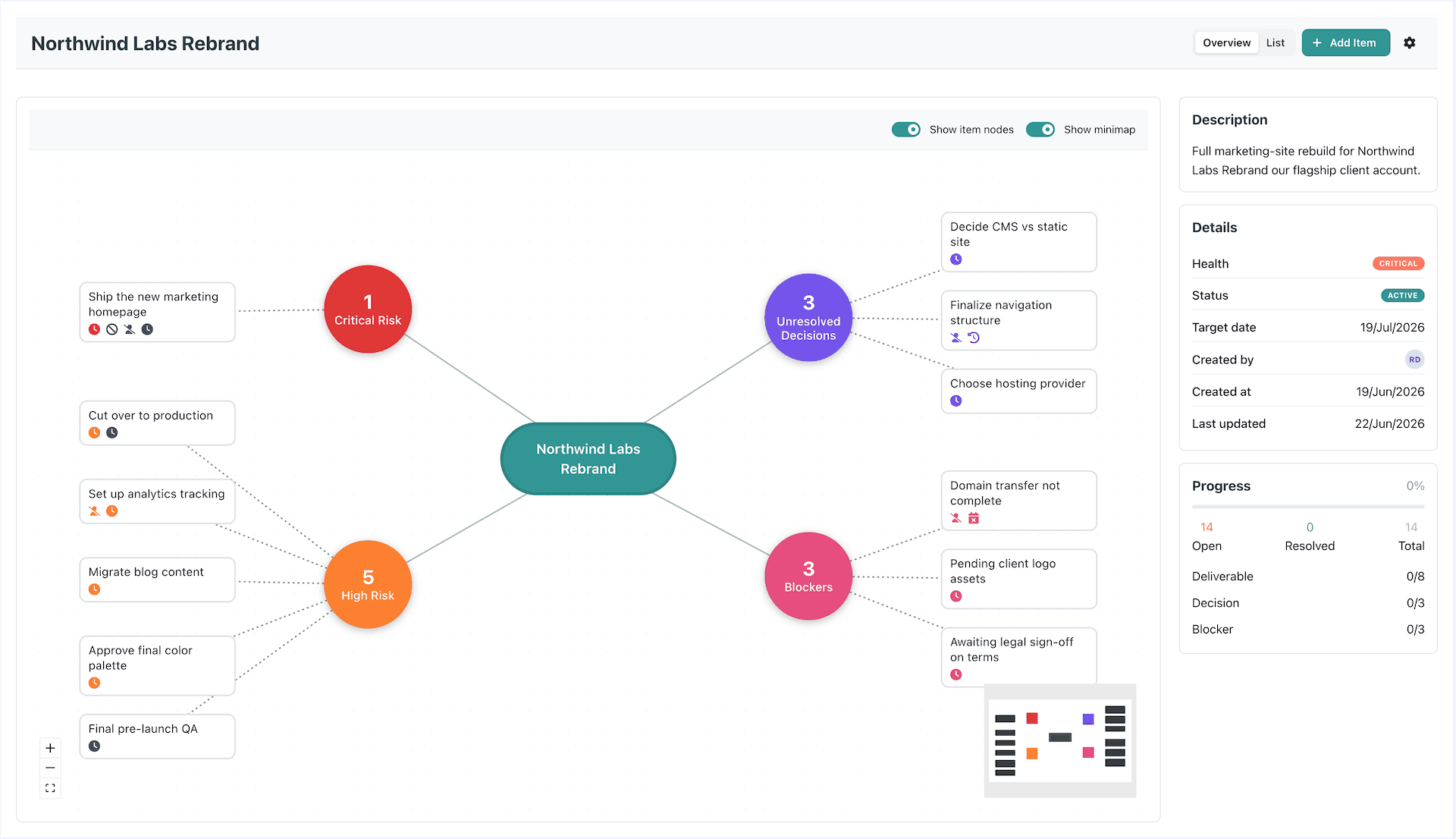
An initiative’s health is computed, never stored and never hand-set. It rolls up from its work items, and each work item’s health rolls up in turn from whatever is linked under it. So a task that goes overdue or a blocker that stays open, three levels down in some project backlog, surfaces all the way up as a risk on the initiative, with no one updating anything. Because it is derived at read time, it can never go stale and there is no checkbox for anyone to forget.
The new overview view gives you the initiative at a glance. The risk cluster lays the work out as a map and surfaces what is putting the outcome at risk: the overdue deliverable, the open blocker, the decision that has gone quiet. Alongside it, a progress panel tracks open versus resolved work, broken down by type. You see the conclusion, not just a list of children to scan.
Built on the graph you already have
Initiatives are not a bolted-on silo. They use the same entity-link graph as everything else in SRP, so pulling work in from across your projects uses the exact mechanics you already use to link anything to anything. There is nothing new to learn, and your existing work drops straight in.
This is the foundation for a lot of what is coming next. Start grouping your work by outcome, and let SRP watch the outcome for you.