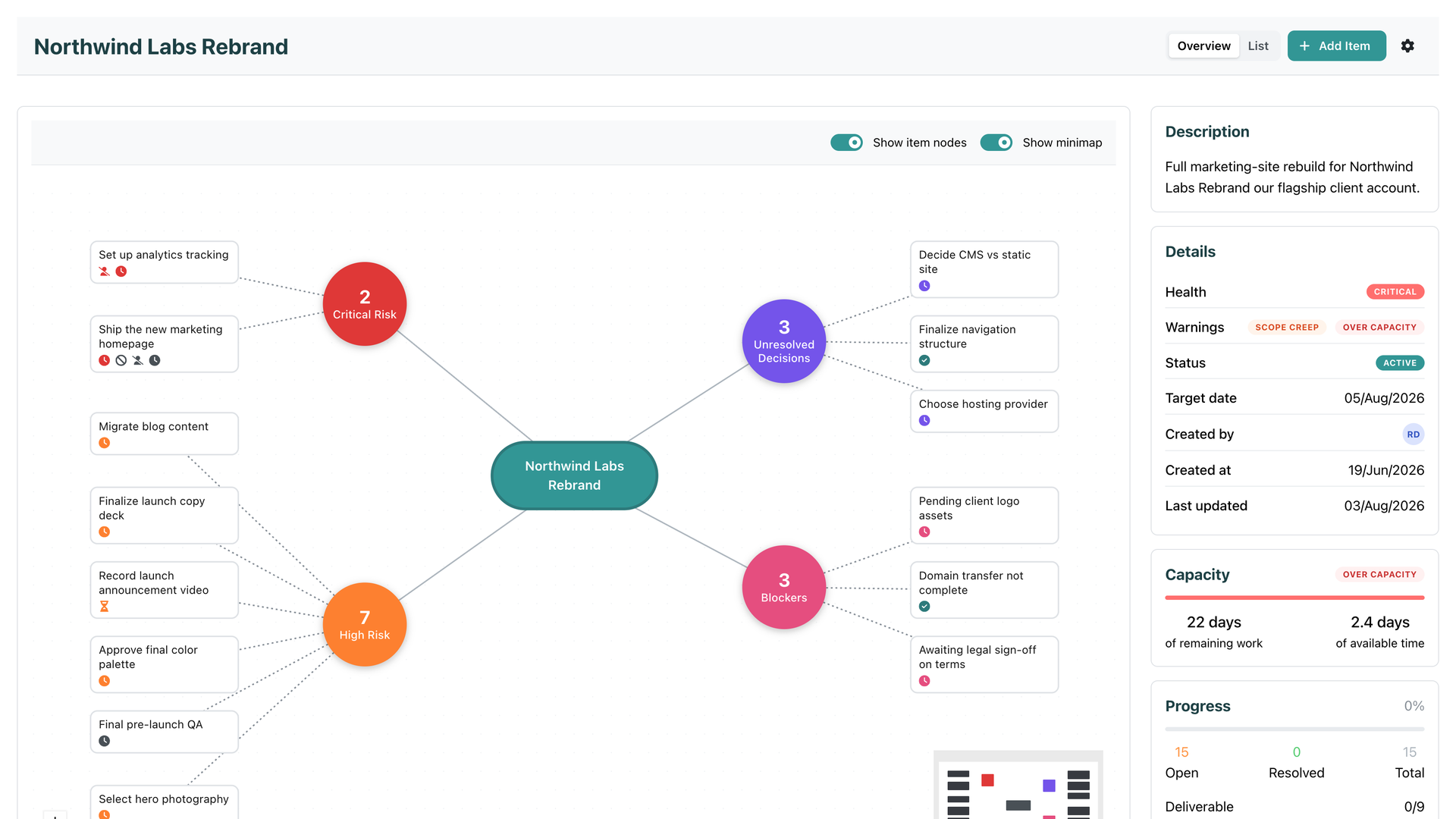
Every tool you have ever planned in knows two things about your work: when it is due, and roughly how big it is. And every one of them keeps those two facts in separate drawers. The due date sits on the item. The size sits next to it. Nobody does the one thing that would actually answer the question you care about: can this be finished by its target date, by the people who are actually doing it, with the time they actually have?
That is the question Team Capacity answers. Continuously, and without asking anyone to do anything new.
Here is the moment this feature was built for. The same plan reads fine on Monday and impossible on Wednesday, because two leave requests got approved in between. Nothing on the board changed. No date moved, no task was added, and no tool you have used before would have said a word. SRP now will.
The flight you are about to miss
Think about catching a flight. The departure time is your due date. The drive to the airport is the effort. The clock on the wall is your capacity. Knowing the flight leaves at 6pm tells you nothing by itself. It is only when you put all three together, it is 5:30 and the drive takes three hours, that the conclusion becomes obvious: you are going to miss it.
Most tools file that report at 9pm, as “overdue”. Team Capacity taps you on the shoulder at 5:30, while reassigning, resizing, or moving the date can still change the outcome.
No new ritual
Team Capacity is built entirely from things SRP already tracks. Effort sizes on your work, from XS to XL. Due dates and target dates. Who is assigned. Your company’s working week, public holidays, and blockout dates. Approved leave. All-day calendar events, because a two-day conference blocks those days just like leave does. And what each person already owes to other work, so nobody’s time gets promised to two plans at once.
Nobody re-estimates anything. Nobody fills in a timesheet. Leave gets approved, scope grows, a date moves, and the verdict updates on its own. Verdicts refresh continuously, within about fifteen minutes at worst and immediately after the changes that matter.
There are just two dials, and both take seconds:
Work Pace. A five-notch slider on the employee profile, from Slower to Faster, set by managers. It captures how fast someone is moving through work right now, not their seniority. New on the team? Buried in support duty this month? Dial them down, restore them later. No numbers, no formulas on screen, and pace is visible only to managers and admins.
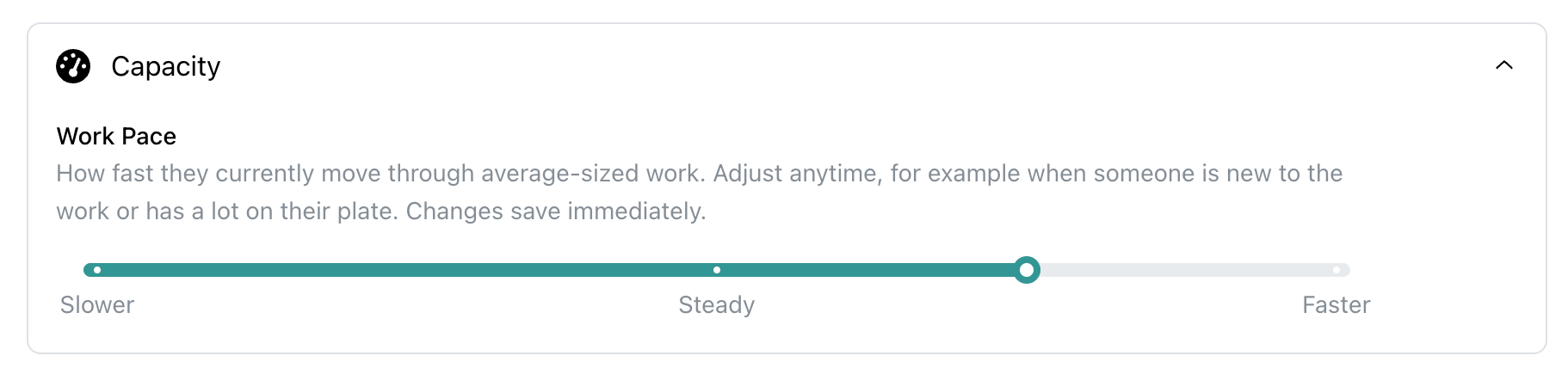
Work Pace: one slider that captures how fast someone is really moving right now.
Capacity slack. A company setting, 20% by default, that keeps your teams from ever being planned to 100%. A plan that only works by spending the safety margin is not a healthy plan, and SRP will say so.
What you will see
Every initiative with a target date and assigned work gets a verdict. On the initiative overview, a new Capacity panel shows a meter and two numbers in days: the work remaining against the time available. One glance tells you whether the plan fits, fits barely, or does not fit at all.
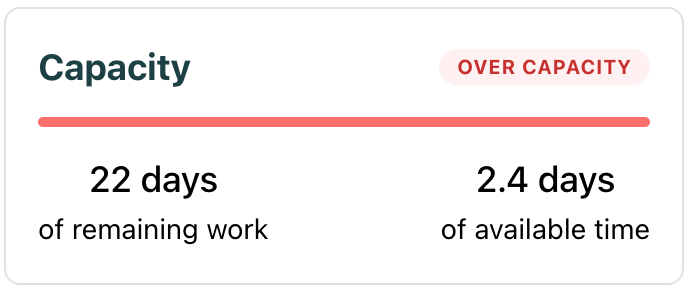
The Capacity panel: work remaining vs time available, in days, always current.
When things get tight, warning chips appear:
- Over capacity. The open work exceeds even the team’s maximum. The plan mathematically fails, so the initiative’s health flips to Critical and it surfaces on the dashboard’s needs-attention list.
- Tight capacity. The work fits, but only by eating the slack buffer. This one deliberately does not change health. It is a heads-up, not an alarm.
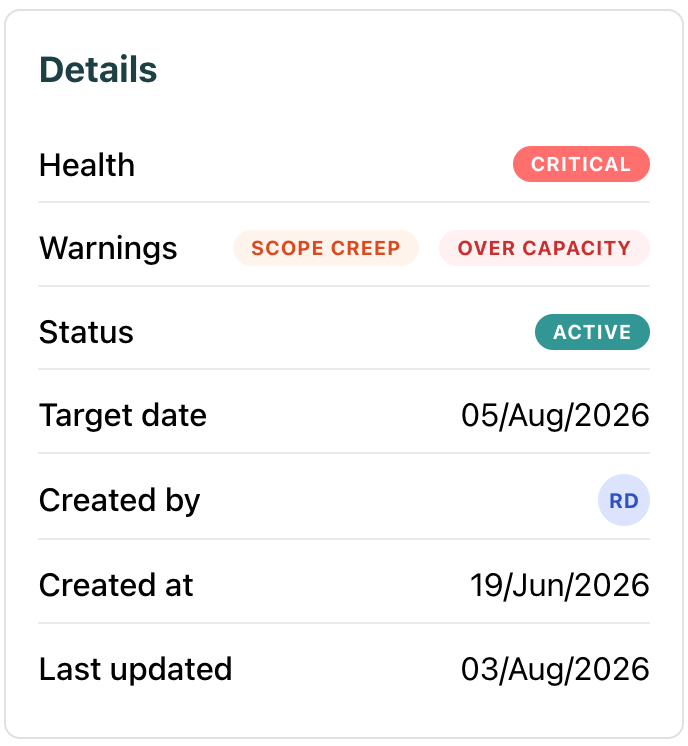
Over capacity flips health to Critical. Tight capacity warns without the drama.
It works at the item level too. Assign someone a Large task due Friday when their remaining working days cannot hold it, and the item is flagged Won’t fit the day it is assigned, before anything is overdue. That is the “you would not hand a big task to someone with no runway” instinct, running as a background check on every assignment.
And you can act on all of it: the initiatives list filters by these warnings through the Health reasons filter, so “show me every plan that does not fit” is now a saved glance, not an afternoon of spreadsheet archaeology.
One slider move, end to end
A real example of how it comes together. Dana manages the Q3 Portal Launch, target date July 31. Nick, one of her developers, is buried in support duty, so Dana drags his Work Pace one notch down. That is her whole contribution: one slider.
SRP takes it from there. The payment flow rework assigned to Nick is due July 24. Between today and then sit a public holiday and one day of his approved leave, and at his adjusted pace the remaining days cannot hold a task that size. The item flags Won’t fit the same day. Rolled up across the whole initiative, the open work now outweighs what the team can deliver by the 31st, so the initiative goes Critical with an Over capacity chip, and shows up on the dashboard before Dana even looks for it. The holiday, the leave, the pace, and the deadline were all data SRP already had. It just finally did the math.
Dana reassigns the rework and the warnings clear themselves. Nothing was ever late.
Quiet by design
A warning system only works if you trust it, so Team Capacity is deliberately conservative. No target date, a target already passed, or nothing assigned? No verdict, no noise. Effort sizes are t-shirt estimates, so the verdict is directional, “this does not fit”, never a fake-precise forecast down to the hour. And it is a backstop, not a replacement for judgment. It will not plan for you, and it will not tell you who should do what. It catches the thing that slips past busy people: a plan that quietly stopped being possible while everyone was heads-down doing the work.
Your deadlines have always known when. Your estimates have always known how much. Now they finally talk to each other.