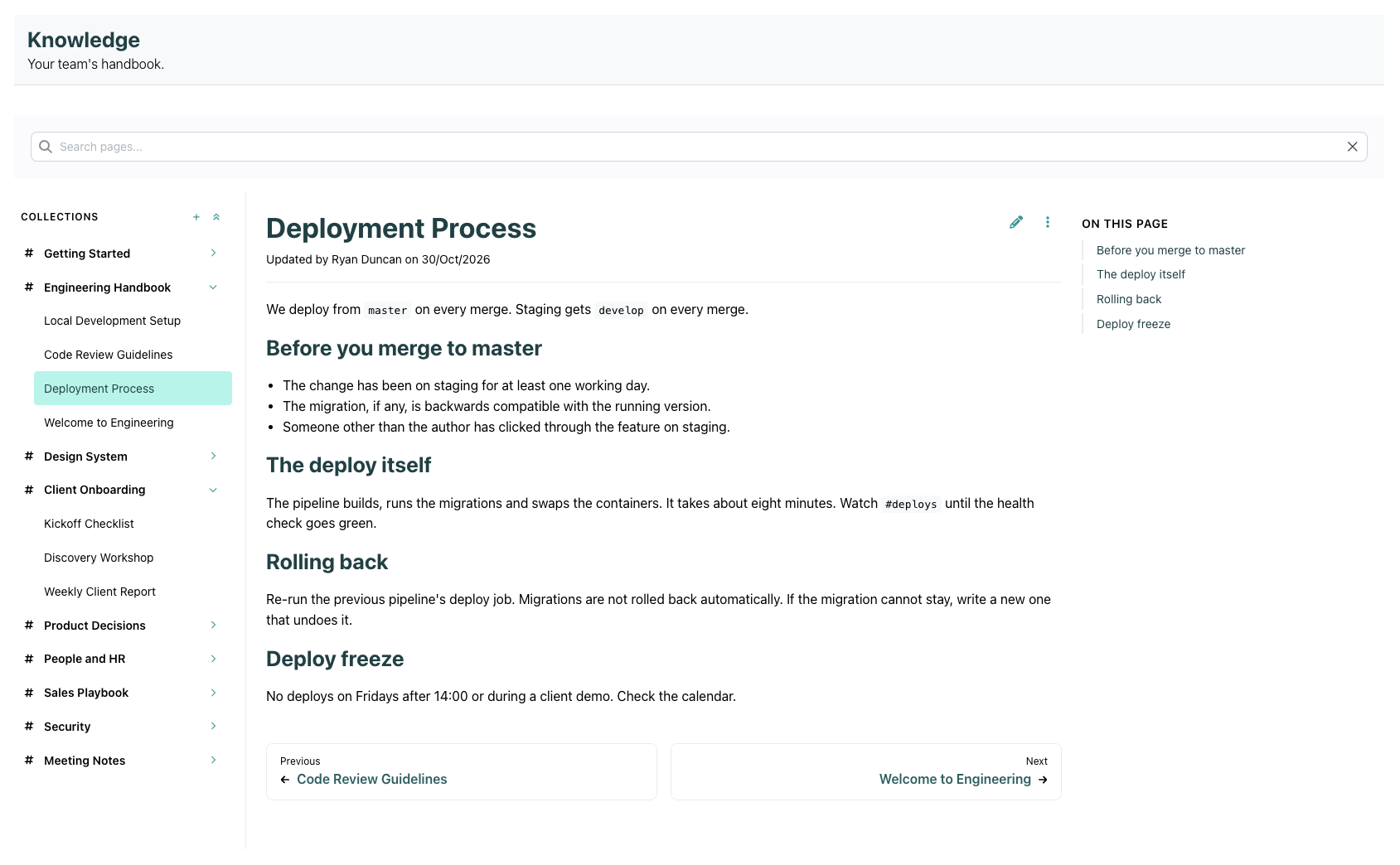
Every agency has a handbook. How you deploy. What goes into the weekly client report. What the kickoff checklist looks like. The problem is where it lives. The pages sit in one tool and the work sits in another, so a task cannot point at the page it depends on, and a page never knows which work depends on it.
SRP now has a Knowledge module for exactly this.
Laid out like a manual
A handbook is meant to be read in order, so Knowledge is laid out like a manual, not a wiki. A collection is a chapter of your handbook and holds an ordered list of pages. Flat on purpose. A new hire can read a collection top to bottom, and nobody has to decide which folder a page belongs in before writing it.
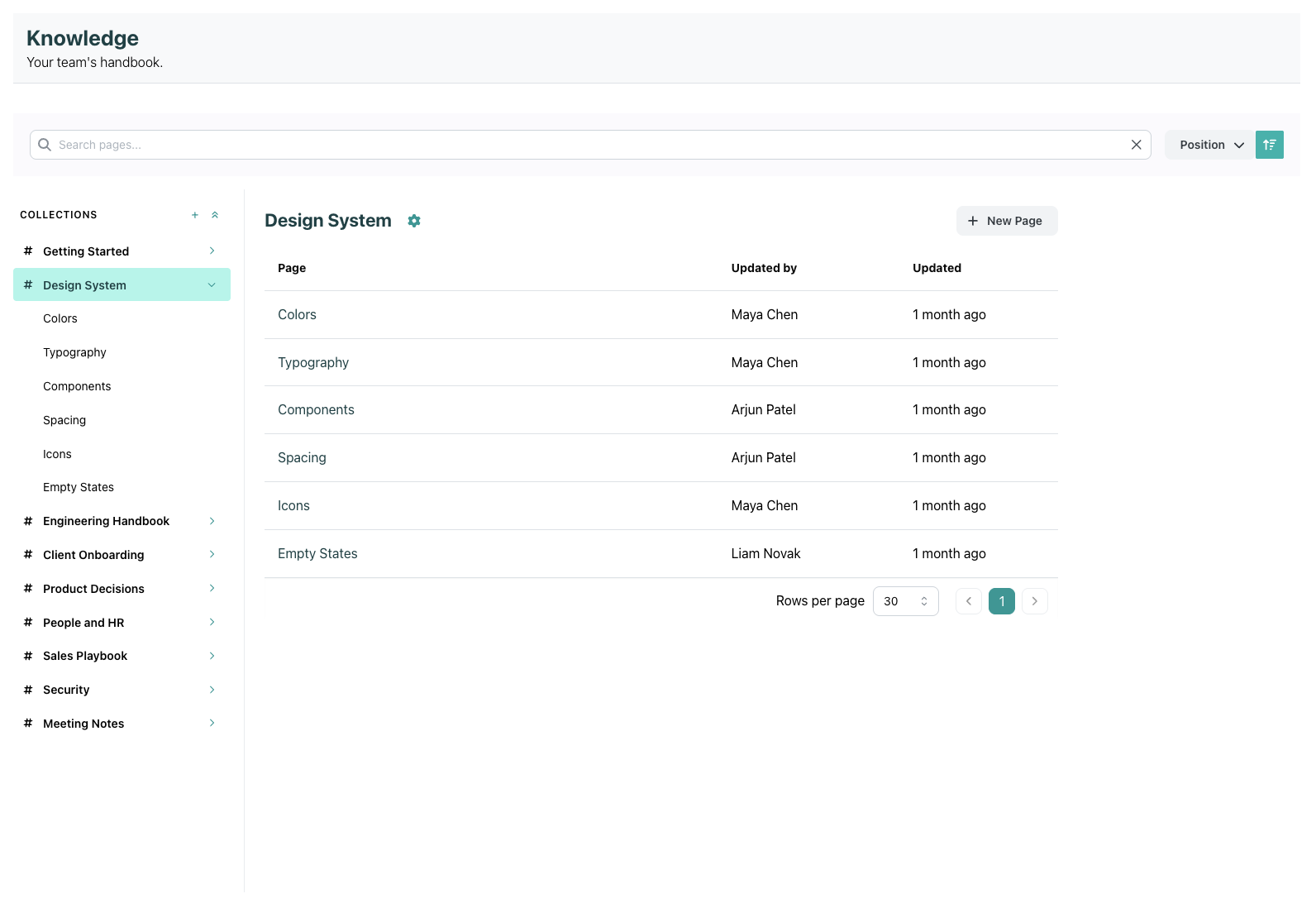
A collection is an ordered list of pages. Drag to reorder.
Pages are written in the same markdown editor you already use for tasks and work items. Edit in place, save, done. Headings become a table of contents on the right, and each page has previous and next cards at the bottom, so the handbook reads in order.
Anyone on the team can write and edit pages. Collections are created and renamed by admins and managers, so the shape of the handbook stays in a few hands while the content stays in everyone’s.
Search that reads the page, not just the title
The search box at the top looks through titles and page text. Title matches come first, and every result shows the line where the words appear, so you see which page you want before you open it.
Link the work to the page
This is the part the other tools miss. From any task or work item, Add Relation now offers Knowledge Page as a target. Pick the collection, pick the page, add a note if you want.
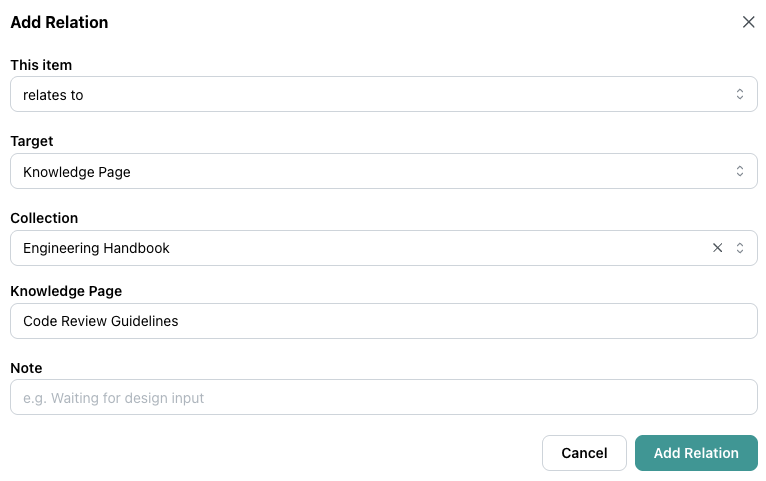
A task relates to the page it depends on.
The task shows the page as a relation with its collection as a badge. The page shows every task and work item that links to it. When the deployment process changes, you open the page and see which work is affected. When a task is stuck on a step, the runbook is one click away.
Your assistant can read it too
Knowledge pages are available through the SRP MCP server, like tasks and work items. Ask your assistant how the team deploys and it reads the page. Ask it to write the kickoff checklist from your notes and it creates the page in the right collection.
The docs have the full reference for Knowledge.
Knowledge is included on every plan.